Table of Contents
- What Are AI Skills for Students
- Why AI Skills Matter for Students in 2026
- Top AI Skills Every Student Should Know
- Prompt Engineering for Students
- AI Tools Every Student Should Use
- AI Skills for Future Jobs
- Common Mistakes Students Make While Using AI
- How to Start Learning AI Skills
- FAQs
Kabir submitted his economics assignment an hour before the deadline, feeling fairly confident about it. He’d used ChatGPT to draft most of it. His professor called him in the next week, not because the content was wrong, but because it read nothing like his usual writing, and none of the statistics matched the actual textbook. Kabir hadn’t cheated on purpose. He just didn’t know how to use the tool properly.
That’s the real problem right now. Most students are already using AI. Very few are using it well. And that difference is starting to show up in grades, in job interviews, and in how confident students feel about their own understanding of a subject.
This guide isn’t about convincing you to use AI more. It’s about showing you which specific skills actually make a difference, so the tool works for you instead of quietly working against you.
Quick Answer
The AI skills students need most in 2026 are prompt engineering, AI-assisted research, AI productivity habits, AI note-making, data interpretation, critical evaluation of AI output, and AI ethics awareness. These skills help students learn faster and produce better work, without letting AI do the actual thinking for them.
What Are AI Skills for Students
AI skills for students are the practical abilities needed to use AI tools effectively, accurately, and responsibly in academic work.
This isn’t about coding or building AI models. For most students, it means knowing how to ask AI tools the right questions, verify what they produce, and use the output as a starting point rather than a finished answer.
A student with strong AI skills can turn a two-hour research task into a thirty-minute one, while still submitting work that’s accurate and genuinely their own. A student without these skills either avoids AI completely and falls behind, or uses it carelessly and gets caught out, like Kabir did.
Why AI Skills Matter for Students in 2026
AI skills matter now because AI tools have quietly become part of how coursework, research, and even hiring decisions get made.
Universities across India have started updating their academic policies to address AI use directly, and several are now teaching AI literacy as part of core courses rather than treating it as optional. Recruiters have followed the same pattern, increasingly asking candidates how they’ve used AI tools during their studies, not whether they’ve heard of them.
Here’s what’s actually changed for students in the last year or two:
- Assignments that once took a full evening can be researched and drafted faster, if approached correctly
- Group projects now often include one AI-fluent student who ends up doing more of the heavy lifting
- Interviewers ask direct questions about AI tool usage, expecting specific answers, not vague ones
- Professors have gotten noticeably better at spotting unedited AI writing
If your daily routine already feels stretched thin between classes, assignments, and everything else, learning to use AI properly can free up real time. Our guide on automating your day with AI-based time management shows how that time actually gets recovered in practice, not just in theory.
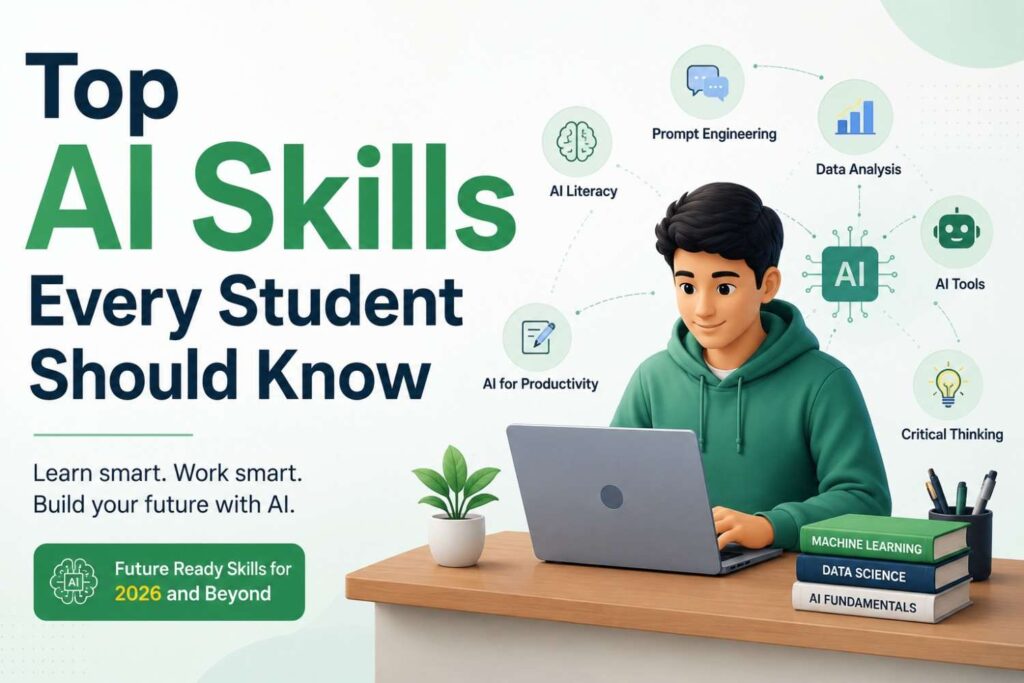
Here’s a direct answer first: the ten AI skills that matter most for students are prompt engineering, AI research, AI productivity, AI note-making, AI content evaluation, data analysis basics, critical thinking with AI, AI ethics, AI-assisted revision, and basic AI tool comparison. Each one is explained below with a real use case.
1. Prompt Engineering
Writing clear, specific instructions so AI tools give you useful answers instead of generic ones. Covered in full detail in the next section.
2. AI Research Skills
Using AI to gather and summarize information quickly, then verifying the facts against the original source. A commerce student researching market trends might ask AI to summarize a long report, then check the actual numbers before quoting them in an assignment.
3. AI Productivity Skills
Using AI tools to plan study schedules, break down large projects, and manage deadlines without manually mapping everything out each time.
4. AI Note-Making
Turning long lecture recordings or textbook chapters into structured notes using AI, then reviewing and rewriting key points in your own words so the information actually sticks.
5. AI Content Understanding
Reading AI-generated text critically enough to spot when it sounds right but isn’t actually correct. This matters most in technical or fact-heavy subjects.
6. Data Analysis Basics
Using AI tools to interpret survey data, spreadsheets, or statistics, then explaining what the numbers mean in your own words for assignments or projects.
7. Critical Thinking With AI
Questioning AI answers instead of accepting them automatically. A law student using AI to summarize a case might cross-check it against the actual judgment before citing it.
8. AI Ethics Awareness
Understanding where your college draws the line between AI assistance and academic dishonesty, since policies vary widely between institutions.
9. AI-Assisted Revision
Using AI to generate practice questions, quiz yourself, or create quick summaries before exams, while still practicing answers manually.
10. Basic AI Tool Comparison
Knowing which AI tool suits which task, since a tool built for writing isn’t always the best one for data or research work.
Building habits like these takes patience more than talent. If you tend to lose momentum halfway through learning something new, the 2-minute rule for building momentum on tough tasks is a simple way to keep going without relying on motivation.
Prompt Engineering for Students
Prompt engineering, in simple terms, means giving AI tools enough context and direction that the output is actually usable on the first or second try.
Most students ask AI tools questions the way they’d search Google, short and vague. That approach works for search engines because they’re matching keywords. AI tools work differently. They respond to context, format, and intent.
Here’s the difference in practice:
Weak prompt: “Explain Newton’s laws.” Strong prompt: “Explain Newton’s three laws of motion in simple language for a class 11 student, with one real-world example for each law, and end with two practice questions.”
The second version gives the AI a role, a format, and a purpose. The output becomes something you can actually use for revision instead of something you’d need to rework completely.
A few habits that improve prompting fast:
- Specify who the explanation is for (a beginner, an exam-level student, a professional)
- Ask for a specific format (a table, bullet points, a short paragraph)
- Request follow-up material, like practice questions or a summary
- Ask the AI to point out where it might be uncertain, especially for factual claims
Once this becomes second nature, most academic tasks get noticeably faster, without any drop in quality.
AI Tools Every Student Should Use
Different AI tools work better for different academic tasks. Here’s a simple comparison to help you pick the right one for the job:
| Task | Best Suited For |
|---|---|
| Writing and grammar refinement | General-purpose chat AI tools |
| Research and fact summarizing | AI tools with web search built in |
| Study planning and reminders | AI-integrated planner or productivity apps |
| Data and spreadsheet analysis | AI features inside spreadsheet tools |
| Quick revision and quizzes | AI tools that generate practice questions |
You don’t need five different tools running at once. Most students do fine with one general AI assistant and one focused tool for planning or research. Our roundup of AI tools that actually save time for students breaks down specific options worth trying if you’re starting from scratch.
AI Skills for Future Jobs
AI skills matter for future jobs because employers are shifting from asking “do you know AI tools” to “how well do you use them.”
This shows up clearly in how hiring has changed over the past year. Recruiters increasingly value AI judgment, the ability to know when to trust an AI output, when to question it, and when to do the work manually instead, over simple tool familiarity.
What’s likely to matter more going forward:
- Candidates who can describe a specific project where they used AI meaningfully, not just generally
- Employers testing AI literacy directly during interviews, not assuming it from a resume line
- Roles across non-technical fields, marketing, finance, design, expecting basic AI fluency as standard
- Soft skills like judgment, verification, and clear communication becoming more valuable, not less, as AI handles more routine work
None of this replaces the value of genuinely understanding your subject. If anything, it raises the bar, because AI can produce surface-level answers easily, but it still takes a well-prepared student to know if those answers are actually right.
Common Mistakes Students Make While Using AI
The most common mistake is treating AI output as a finished answer instead of a first draft that still needs checking and personal input.
Other frequent mistakes include:
- Submitting AI-written content unedited, which is often easy for professors to spot and can violate academic policy
- Skipping fact verification, assuming AI is always accurate when it can confidently state something wrong
- Overusing AI for everything, including tasks meant to build your own problem-solving skills for exams
- Ignoring your college’s specific AI policy, since rules differ significantly between institutions
- Using only one AI tool for every task, even when a different tool would work better for research or data work
If some of these sound familiar, our post on fixing common AI productivity mistakes walks through practical corrections for each one.
How to Start Learning AI Skills
The fastest way to start is by practicing on real coursework you already have, instead of waiting for a formal course.
A simple month-by-month approach:
- Weeks 1 to 2: Practice prompt engineering using your actual homework, rewriting each question two or three different ways
- Weeks 3 to 4: Use AI for research on one subject, but manually verify every fact before submitting anything
- Month 2: Add one AI tool focused on planning or scheduling into your weekly routine
- Month 3: Try a small data analysis task, even something as simple as tracking your own study hours
- Ongoing: Reread your college’s AI usage policy every semester, since these guidelines keep changing
This kind of gradual build works far better than trying to learn everything in one sitting. If you want a broader framework to fit these habits into, our complete student productivity system covers how daily habits like this stack together over a full semester.
Expert Tips
- Treat every AI response as a draft, never a final answer
- Write prompts the way you’d brief a study partner, with context, goal, and format
- Save prompts that worked well so you’re not rebuilding them every time
- Balance AI use with manual practice, especially for numerical or problem-solving subjects
- Check your institution’s AI policy at the start of every semester, not just once
FAQs
1. What are the most important AI skills for students in 2026? Prompt engineering, AI research, AI productivity habits, note-making, data interpretation, critical thinking, and AI ethics awareness are the core skills students need right now.
2. What is prompt engineering for students? Prompt engineering is the skill of writing clear, specific instructions to AI tools, including context and format, so the output is actually useful on the first try.
3. Which AI tools should students use in 2026? A general-purpose AI assistant for writing and research, paired with a planning or productivity tool, covers most academic needs without overcomplicating your workflow.
4. Is it okay for students to use AI for assignments? It depends on your institution’s policy. Using AI for brainstorming, grammar checks, or organizing ideas is usually fine, while submitting AI-written content as your own is typically not allowed.
5. How can AI skills help with future jobs? Employers increasingly test for AI judgment, knowing when to trust, question, or refine AI output, which matters more than simply knowing how to operate a tool.
6. How do students avoid over-relying on AI? By using AI mainly for repetitive tasks like summarizing or scheduling, while still doing the actual thinking, writing, and problem-solving themselves.
7. What is AI literacy for students? AI literacy is the practical understanding of how AI tools work, including their limitations, so students can use them effectively and question their output when needed.
8. How can students use AI for exam preparation? AI tools can generate practice questions and quick summaries, though students should still verify accuracy and practice writing full answers manually.
9. What mistakes do students commonly make while using AI? Submitting unedited AI content, skipping fact verification, overusing AI for everything, and ignoring institutional AI policies are the most common mistakes.
10. Where should a student start when learning AI skills? Start with prompt engineering on regular homework, then gradually add research verification, one productivity tool, and light data analysis practice over a couple of months.
Conclusion
AI isn’t going anywhere, and pretending otherwise won’t help anyone’s grades or job prospects. The students pulling ahead right now aren’t the ones using AI the most. They’re the ones who learned to direct it properly, check its work, and still think for themselves where it actually counts. Pick one skill from this guide, practice it this week, and build from there.